
It's not a matter of "if you'll be hacked" it's when! That's sad to say but unfortunately in this...
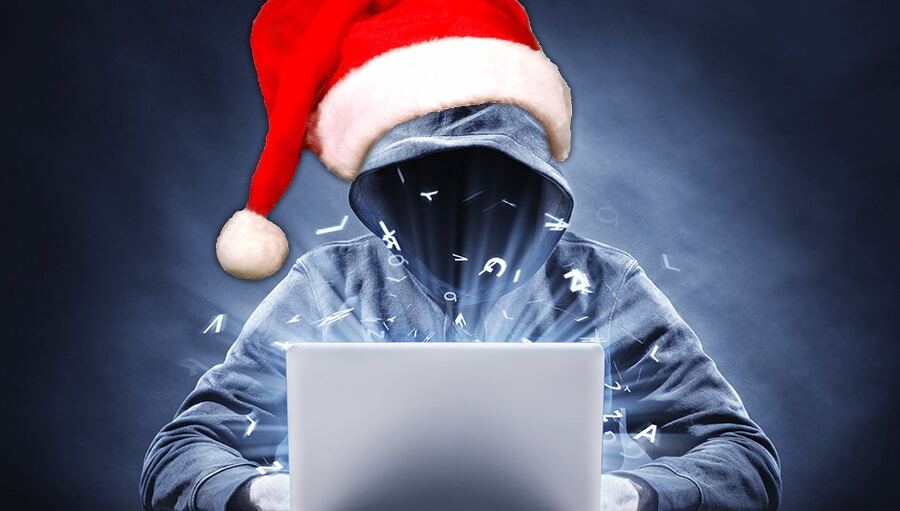
As the holidays approach, most business owners are focused on year-end sales, marketing, and time with family. But there’s another group that becomes more active this time of year — cybercriminals.
While your team relaxes and your office slows down, hackers ramp up attacks on small businesses, taking advantage of downtime, distraction, and outdated security practices. Studies show that cyberattacks rise by more than 30% during the holiday season, targeting companies that have temporarily reduced IT oversight.
If you’re preparing your business for the holidays, here’s how to make sure your systems — and your reputation — stay secure through the season.
Why the Holidays Are Prime Time for Cyberattacks
The holiday rush creates the perfect storm for hackers:
-
Reduced monitoring: With teams out of the office, unusual network activity often goes unnoticed.
-
Increased online transactions: More e-commerce and payment activity mean more opportunities for data theft.
-
Holiday phishing scams: Fake shipping notices, gift card offers, or donation requests lure employees into clicking malicious links.
-
Unpatched systems: Businesses delay updates during the busy season — leaving security gaps wide open.
Even one wrong click or a missed update can lead to stolen data, financial loss, or compliance violations that take months to recover from.
1. Start with a Holiday Security Checkup
Before your office goes quiet for Thanksgiving or Christmas, schedule a quick technology review. Look at the basics:
-
Are your antivirus and anti-malware programs up to date?
-
Are all operating systems and applications fully patched?
-
Are your backups recent and tested for recovery?
A brief system audit can uncover hidden risks before they turn into emergencies.
2. Back Up Before You Log Off
Think of backups as your holiday insurance policy. If a cyber incident or power failure occurs, your backups are the difference between a minor inconvenience and total data loss.
At Fine Technologies, we recommend the 3-2-1 rule:
-
Keep 3 copies of your data
-
Store them on 2 different media types (cloud and physical)
-
Keep 1 copy offsite or in the cloud
Tools like Microsoft OneDrive and SharePoint make cloud backups automatic, secure, and accessible from anywhere — even if your main systems are offline.
3. Review PCI DSS Compliance Before the Holiday Rush
If your business processes payments, PCI DSS compliance isn’t just a technical requirement — it’s a safeguard for your customers and your reputation.
The Payment Card Industry Data Security Standard (PCI DSS) ensures payment data is encrypted, securely stored, and protected from breaches. Even a single violation can lead to thousands in fines or loss of payment processing privileges. Before the holiday shopping surge, confirm that your systems are compliant or schedule a PCI readiness review with our team.
4. Strengthen Access Control
During the holidays, temporary employees or vendors may need system access — which can become a vulnerability.
Before granting permissions, ask:
-
Does this user need full access or only limited access to specific folders?
-
When will their access expire?
-
Are passwords being shared securely?
Microsoft 365 provides strong built-in access management tools. Using conditional access policies and multi-factor authentication (MFA) ensures that only the right people can log in — and only from approved devices.
5. Watch for Holiday Phishing Scams
Phishing emails increase dramatically during the holiday season. They often appear to come from trusted sources — delivery confirmations, donation requests, or urgent account alerts.
To stay protected:
-
Never click links in suspicious emails.
-
Hover over links to preview the real URL.
-
Verify shipping or order updates directly on vendor websites.
-
Educate employees about current phishing trends.
One moment of caution can prevent costly data breaches later.
6. Prepare a Response Plan
Even with strong protection, incidents can still happen. Having a cybersecurity response plan ensures your team can act quickly and effectively.
Your plan should include:
-
Emergency IT contact information
-
Password reset and data restoration procedures
-
Communication steps if customer data is compromised
The faster you respond, the less damage an attacker can do — and the faster your business can recover.
Enjoy the Holidays — With Confidence
Technology should give you peace of mind, not stress. With proactive steps — and a reliable IT partner — you can truly unplug this season knowing your systems are protected, your backups are secure, and your business is ready for a successful new year.
At Fine Technologies, we help small businesses across Florida stay secure, compliant, and efficient year-round. Whether you need a quick holiday security review or a full IT audit, our team is here to make sure your technology works as hard as you do.
Ready to Take the Next Step?
Your trusted local IT partner for Microsoft 365, cloud solutions, cybersecurity, and small business support.

.png?height=200&name=Untitled%20design%20(2).png)